

Track blood pressure and glucose
Record readings, see 7/30/90/365-day trends, and bring a PDF to your doctor instead of loose notes.
About Me for iPhone and Apple Watch
Blood pressure, glucose, weight, medications, and lab results. Cycle, perimenopause, and menopause for 40+. Hormone panels and questionnaires in one place. No ads, no data sharing.
iOS 17+ · Apple Watch · Core features free forever · AboutMe+ from about 250 ₽/mo or Lifetime 9,990 ₽
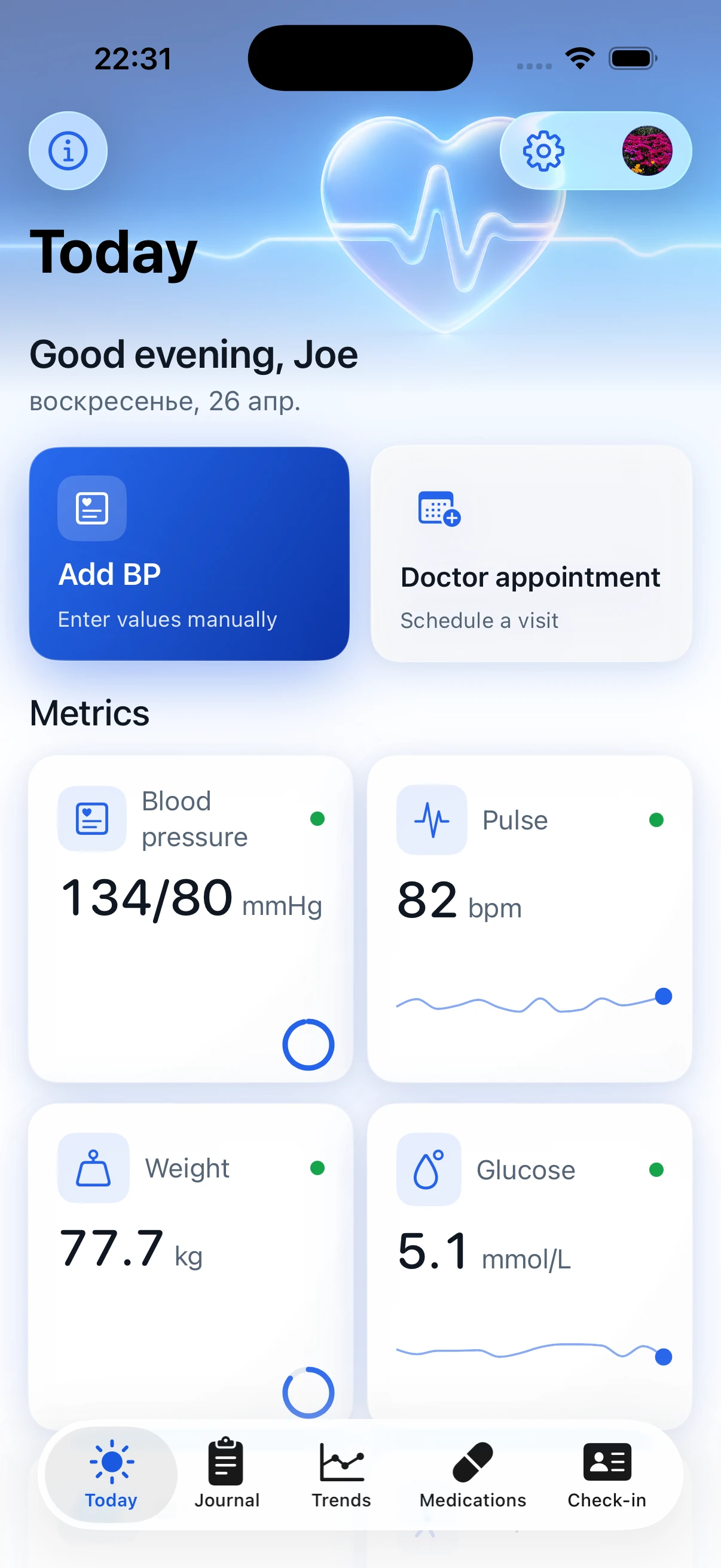
Who it is for
Record readings, see 7/30/90/365-day trends, and bring a PDF to your doctor instead of loose notes.
Create a separate profile for a parent, keep their diary on your iPhone, and bring the right history to a doctor.
Cholesterol, testosterone, vitamin D, HbA1c — scan lab forms with the camera or enter values by hand.
Profiles
Keep your own diary and separate profiles for loved ones: parents, a partner, or someone you care for. Each profile has its own readings, medications, lab results, and reports.
It is useful when one phone helps the whole family: before a visit, choose the right profile and show that person's history to the doctor.
Features
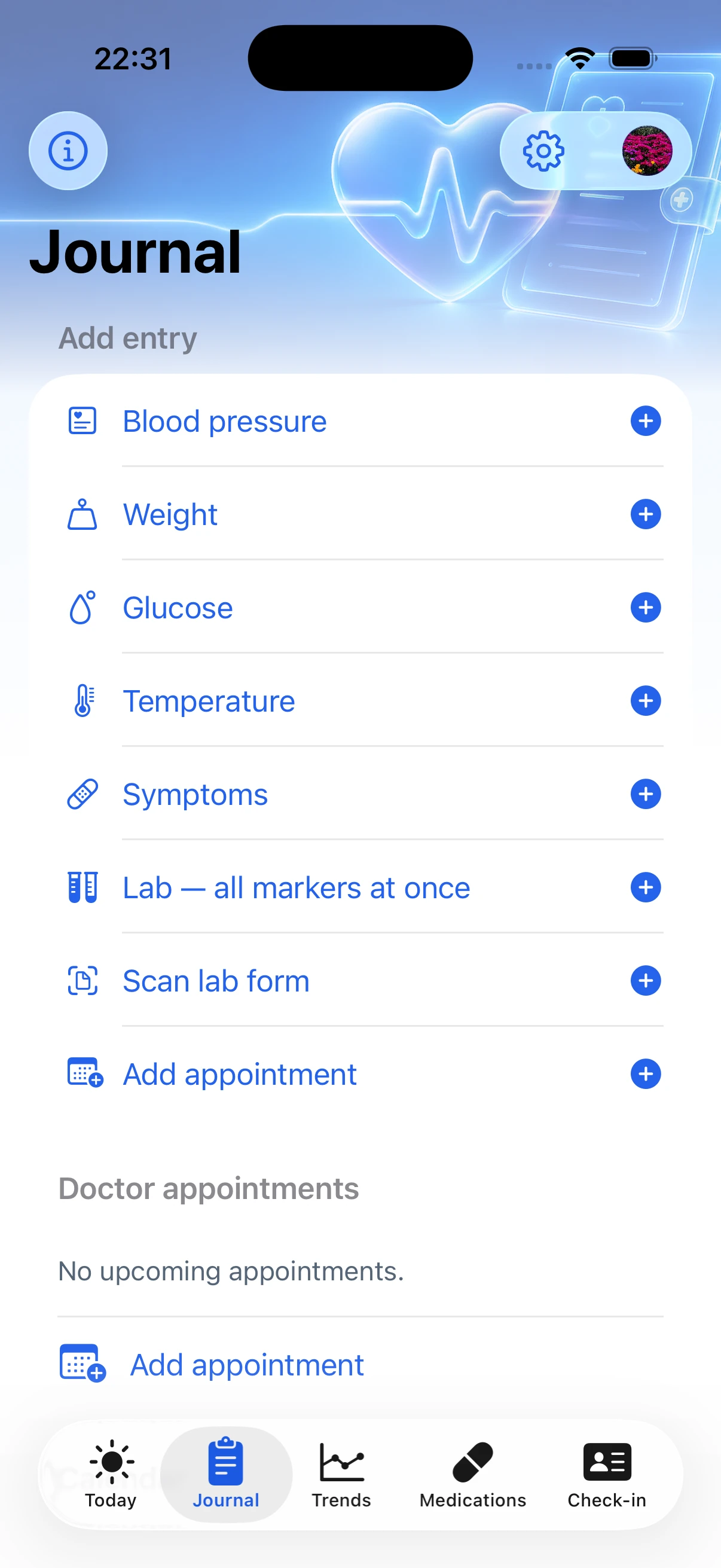
Manual entry, Apple Health, and camera OCR for blood pressure monitors.
76 markers across 14 panels: CBC, urinalysis, liver, kidney, thyroid, vitamins, coagulation.
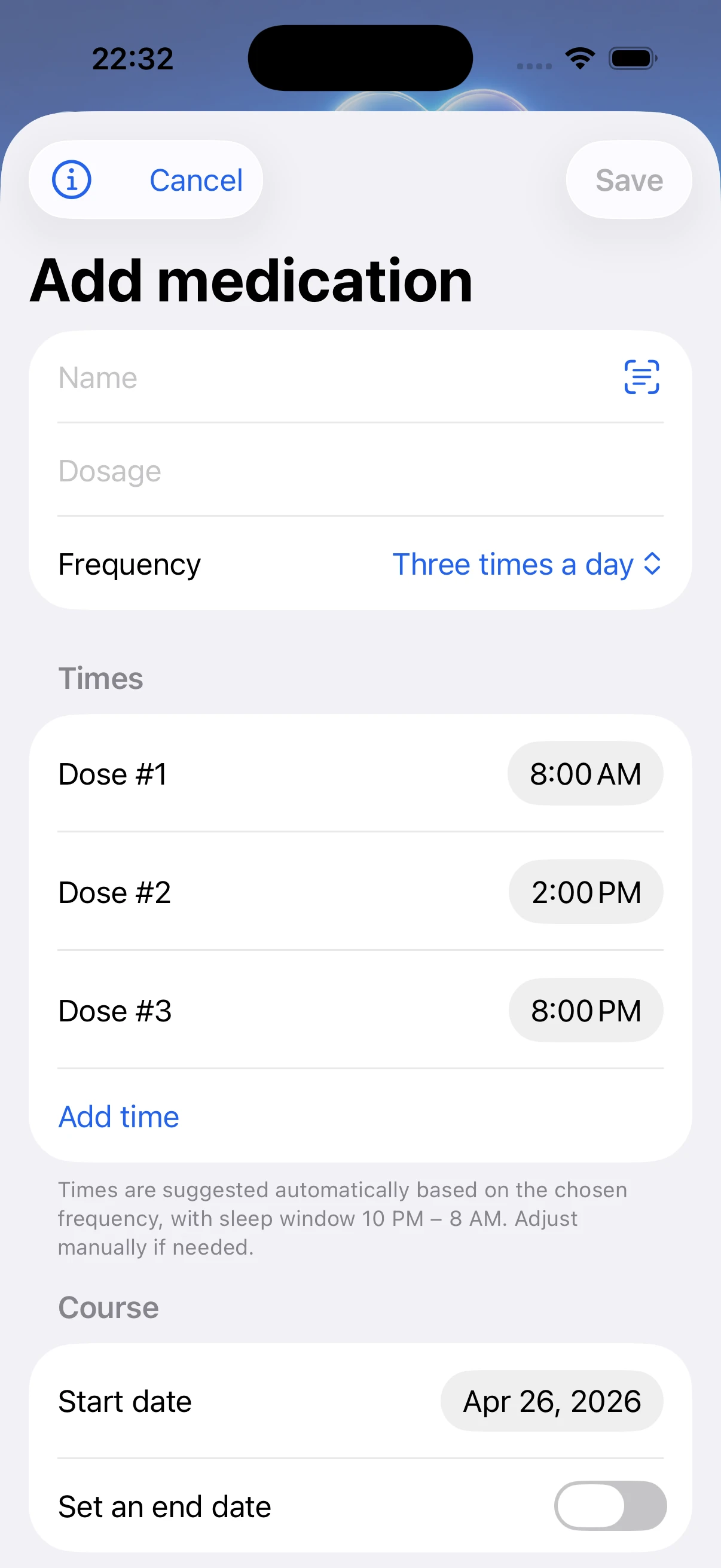
Package name scan, pill stock, reminders, and warnings for 27 known risky combinations.
30 seconds for energy, mood, stress, sleep, and pain. Works with Apple Watch.
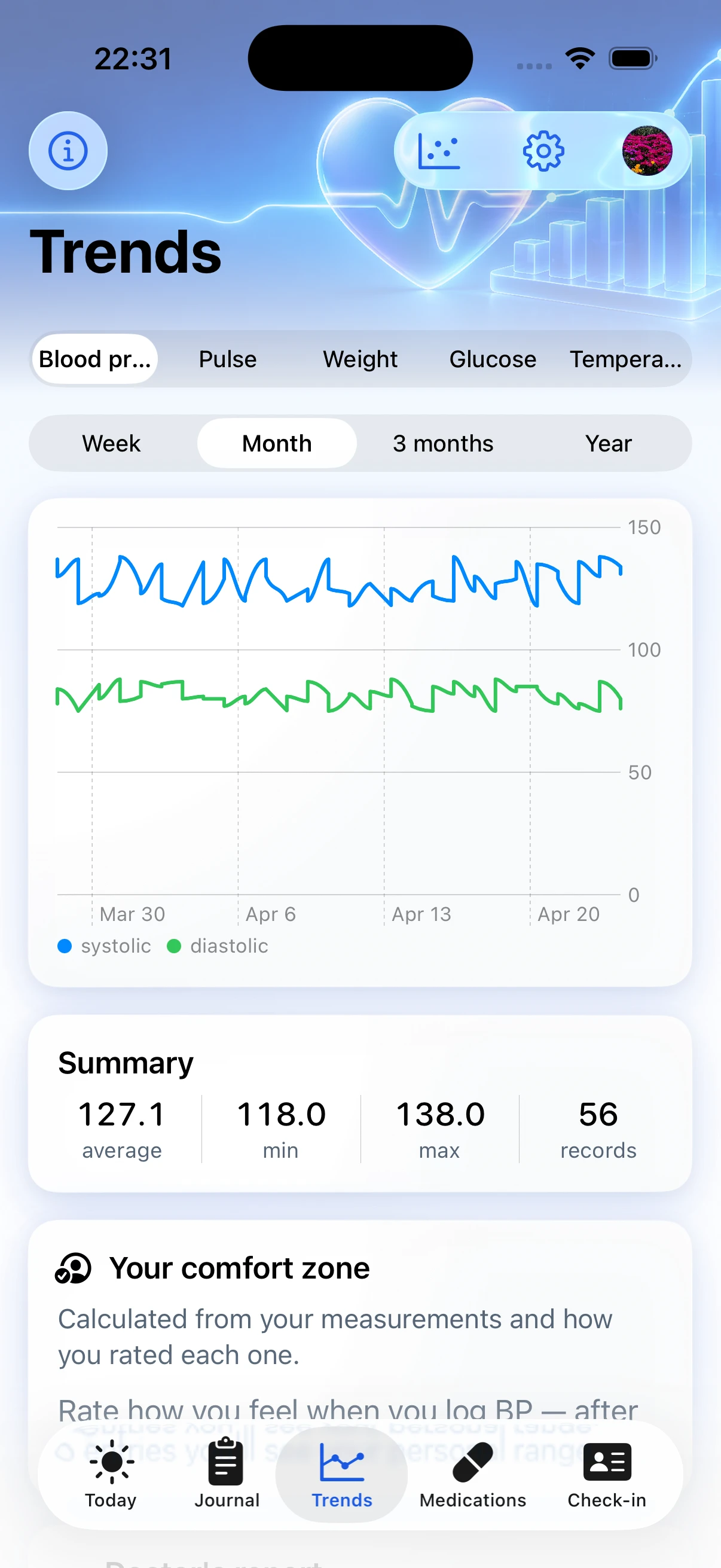
Interactive charts, medication markers, and numeric insights such as worse sleep versus higher pressure.
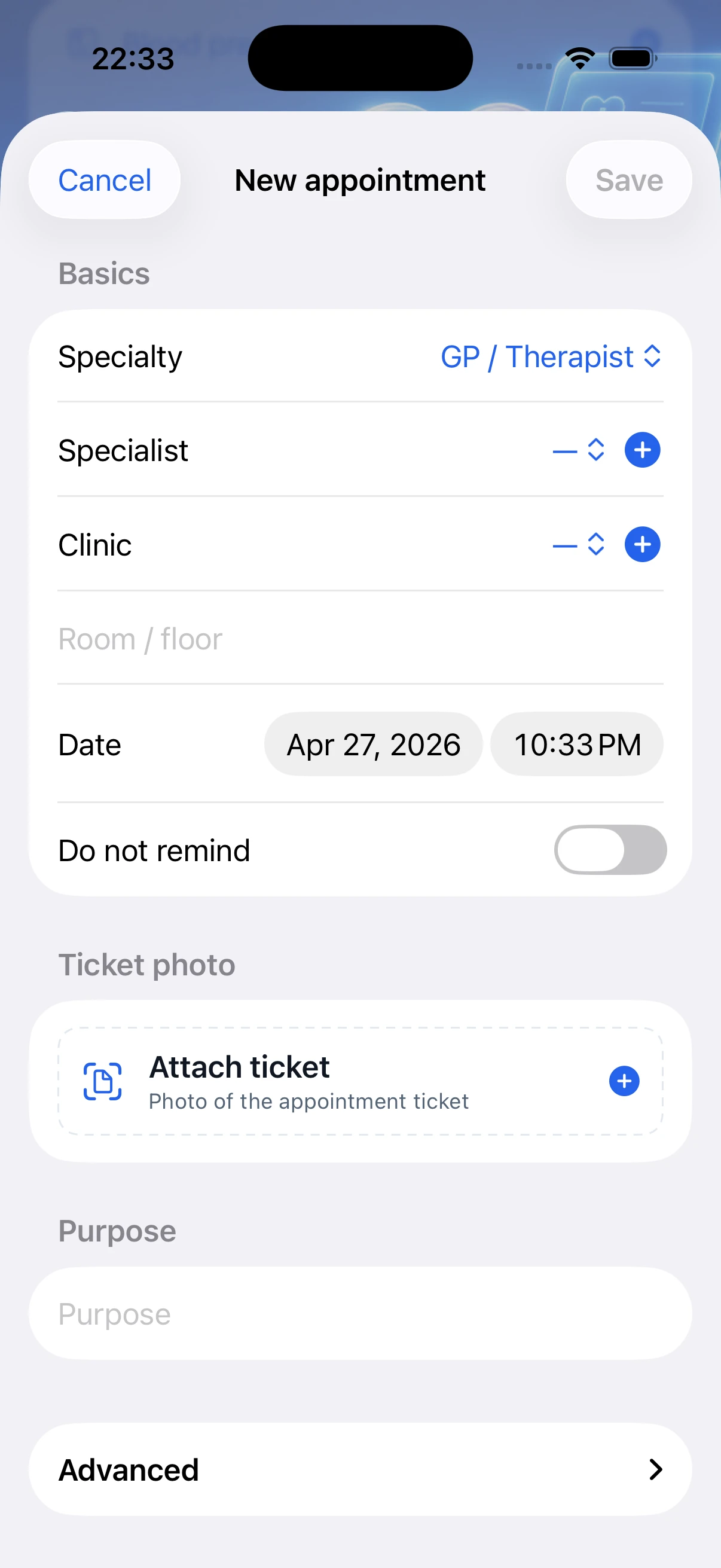
Add a visit to the journal and get a reminder before it is time to see your doctor.
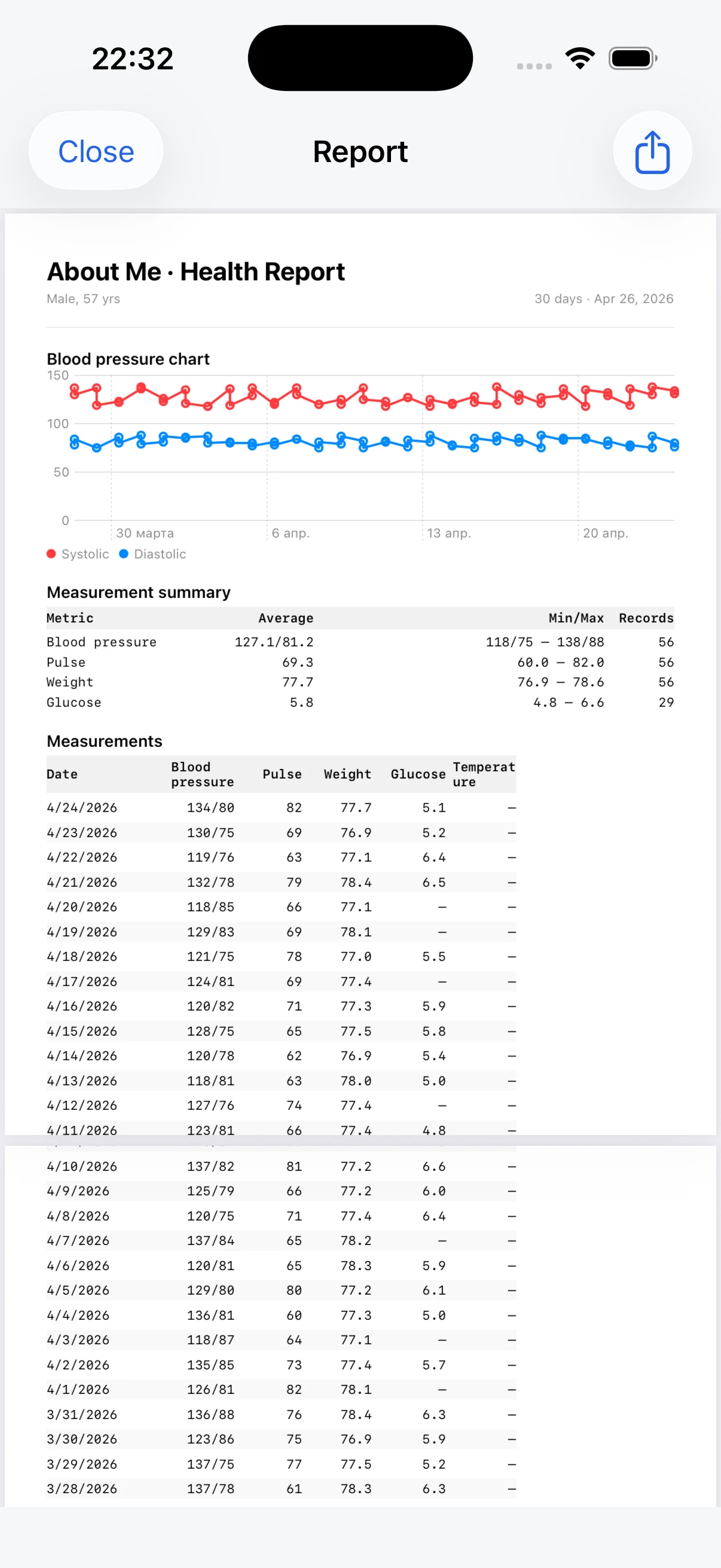
Charts, unrounded lab values, full blood pressure, and medication-by-date tables.
Medications
Scan a package name, track remaining doses, and get clear warnings about known risky medication combinations.
Warnings help you prepare questions for your doctor and do not replace medical prescriptions.
Connects to your devices
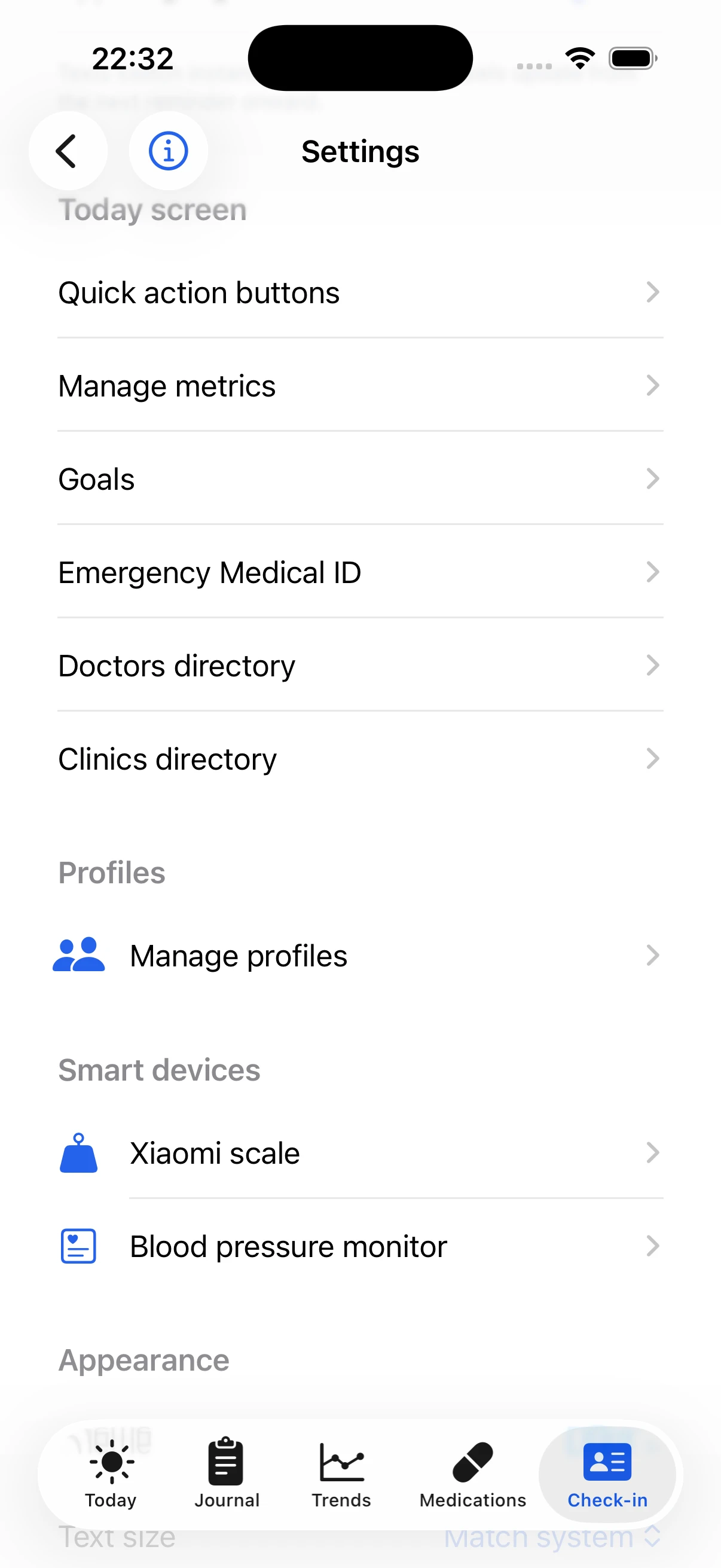
Connect blood pressure monitors and scales. Pressure, pulse, and weight can be saved automatically: through Apple Health or directly over Bluetooth for supported devices.
Safety
Allergies, chronic conditions, blood type, and an emergency contact can be available from the Lock Screen. First responders can see the essentials and call your contact with one tap.
Privacy
We cannot see a single entry. Sync uses CloudKit with end-to-end protection.
No Google Analytics, Meta Pixel, or proprietary tracking inside the app.
The core diary is free forever. AboutMe+ unlocks only advanced features, and Lifetime is available for people who do not want a subscription. The server receives only the App Store receipt for validation, never medical diary data.
“Even Apple cannot read the contents — iCloud Private Database is designed for that.”Privacy Policy
Screenshots
Apple Watch and widgets
Check in from your wrist, use complications on the watch face, and confirm medication without opening the phone.
S/M/L widgets for the next medication, blood pressure, and adherence %. Live Activity on Dynamic Island for key reminders.
Gender modules
Irregular cycles, perimenopause, menopause, and postmenopause. Hormone panel, screenings, and questionnaires. No pregnancy or fertility focus — other apps cover that.
The app shows which triggers most often coincide with hot flashes and when the next screening should be planned.
Men's module is included too
The module is optional. Intimate entries stay only on the device and do not sync to iCloud.
The module can be enabled during onboarding or in settings. If the profile is female, it is offered automatically. If sex is not specified, the men's module, women's module, or both can be enabled. FSFI and intimate data stay only on the device and do not sync to iCloud.
Unlike Flo and Clue: no ads, no Meta data sharing, no pink interface, and no subscription for the basic cycle calendar. Fertility and pregnancy are not the focus — About Me is built for 40+.
AboutMe+
The core blood pressure, glucose, medication, and cycle tracker is free forever. AboutMe+ unlocks the advanced layer people usually seek in paid services: lab OCR, correlations, advanced questionnaires, and interpretation.
Camera OCR for Invitro, Helix, Hemotest, and KDL — no manual entry for 23 markers.
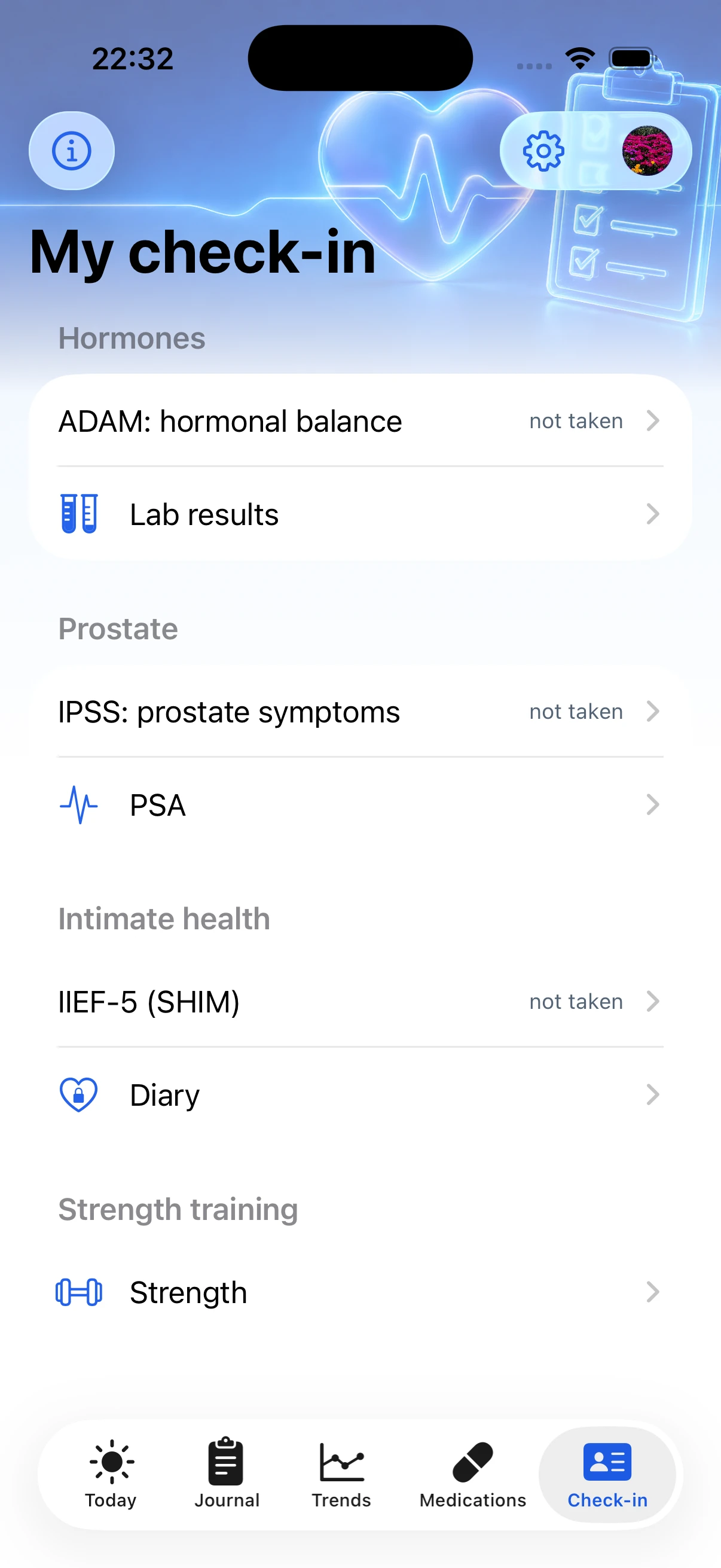
IPSS, IIEF-5, AMS, Greene, MENQOL, FSFI, PHQ-9, and GAD-7 with trends and interpretation.
Testosterone, FSH, estradiol, and DHEA-S interpreted by age and phase.
See which events most often coincide with episodes over 30, 60, or 90 days.
Mammography, Pap/HPV, DEXA, PSA, lipid panel, and reminders 30 and 7 days ahead.
Sleep versus pressure, stress versus glucose, hot flashes versus coffee or poor sleep.
90/365 days, DOCX, 3-year lab trends, and pages for questionnaires and hormones.
An 8-week Kegel program with timers and progress.
Text and audio for sleep, hot flashes, and anxiety.
/month
14-day trial≈ 250 ₽/mo · save 38%
14-day trialone time · forever
no trial14 days free with explicit activation. No charge without your consent. Lifetime is not a subscription; it is a one-time App Store purchase. Subscriptions can be canceled in Apple ID settings. Family Sharing is enabled — one subscription covers up to 5 family members.
PDF report
Pressure and pulse charts, unrounded lab result dynamics, full systolic/diastolic pressure, and a medication-by-date table that shows regimen and missed doses. Shared through the system Share Sheet.
FAQ
Free forever: blood pressure, glucose, weight, medication, and symptom diary; daily check-in including the women's hot flash card; basic 7/30-day PDF; basic cycle calendar; ADAM and MRS questionnaires; screening planner with manual dates and reminders. In AboutMe+: lab form OCR, correlations, 90/365-day trends, extended PDF, advanced questionnaires (IPSS, IIEF-5, AMS, Greene, MENQOL, FSFI, PHQ-9, GAD-7), hormone interpretation, hot flash trigger analysis, automatic screening planner setup, Kegel program, and CBT programs.
399 ₽ per month or 2,990 ₽ per year (about 250 ₽/mo, 38% savings). Lifetime is 9,990 ₽ as a one-time purchase, with no subscription. Monthly and yearly plans include a 14-day trial with explicit activation and no charge without your consent. Family Sharing is enabled — one subscription covers up to 5 people.
You log each hot flash episode and mark what came before it: coffee, alcohol, spicy food, stress, a late meal, a warm room, and other factors. After a few weeks, About Me shows which triggers most often coincide with your episodes over 30, 60, or 90 days. It is not a causal claim; it is simple frequency analysis that helps reveal patterns.
You enter the previous exam date or enable automatic setup by age in AboutMe+. The app calculates the next planned date and reminds you 30 and 7 days before it. Supported types include mammography, Pap/HPV, DEXA, gynecological ultrasound, lipid panel, and PSA.
Yes. Lifetime is a one-time App Store purchase, not a subscription. There are no recurring charges after payment. The purchase can be restored on your devices using the same Apple ID. Family Sharing works for Lifetime too — one purchase covers up to 5 family members.
You can leave it unspecified. Both modules remain available, and you can enable either one or both. In data terms, we keep a neutral stance: gender modules are toolsets, not an identity label.
Your entries stay on your device and in your personal iCloud. We do not have access to your diary.
No. Apple Watch is convenient for check-ins and quick marks, but the main functions work on iPhone.
Yes, locally on the device. iCloud is used for sync between your devices and recovery.
Only the emergency details you choose to add can appear on the Lock Screen. Medical ID data is stored on the device and is not sent to the app's servers.
No. The app shows known risky combinations and helps you prepare questions for your doctor. Prescribing, stopping, or changing medication dosage should be handled by a qualified specialist.
Yes. The app can use Apple Health values you permit, such as pulse, weight, or pressure.
Yes. The app supports profiles, so you can keep separate diaries for yourself, a parent, or another loved one. Each profile has its own entries, medications, lab results, charts, and PDF reports.
Apple Health stores data. About Me helps keep context, find relationships, prepare reports, and bring the right picture to a doctor.
The app is intended for personal devices. Intimate diary entries have separate Face ID protection, but a shared iPad is not recommended.
The landing page includes RU and EN. App languages will be finalized before App Store release.
Direct BLE without pairing: Xiaomi Mi Scale 1 (XMTZC01HM), Mi Scale 2 (XMTZC04HM), Mi Body Composition Scale / Mi Smart Scale (XMTZC02HM), and Mi Body Composition Scale 2 (XMTZC05HM). The first two send weight; Body Composition models can also send impedance.
Through Apple Health, the app can read weight from scales whose iOS apps export bodyMass: Xiaomi Mi Fit / Zepp Life, Withings / Nokia, Garmin Index S2, Eufy, Renpho, Fitbit Aria / Aria Air, Omron Body Composition Monitor, Picooc, Tanita, HomeKit integrations, and other compatible models.
The direct parser is based on openScale and BLE profiles 0x181D / 0x181B. Compatibility of a specific model should be confirmed with a real-device test.
Direct BLE via Bluetooth SIG Blood Pressure Profile 0x1810: A&D Medical UA-651BLE, UA-767BLE, UA-1200BLE; Beurer BM 54, BM 57, BM 85, BM 96 Cardio; QardioArm; iHealth Track, Clear, Ease (KN-550BT); Nokia / Withings BPM Core, BPM Connect; Welch Allyn Home; some Omron Platinum / Evolv / 10 Series models (BP7450 and newer), Rossmax, Microlife, and Truly devices.
Through Apple Health, supported paths include Omron Connect, Qardio, iHealth MyVitals, Withings Health Mate, Beurer HealthManager, Braun Healthy Heart, Picooc BP, and Microlife Connect.
Most budget Omron models, such as HEM-7120 / X3 / M3, and Xiaomi AndesFit / Yuwell are not supported directly; use their native apps and Apple Health. Compatibility of a specific model requires a real-device test.
Yes. You can delete data from the device and iCloud through the app settings and iCloud settings.
Download
iPhone (iOS 17+), Apple Watch (watchOS 10+). Core features are free forever. AboutMe+ is optional through the App Store.
Download on theApp Store